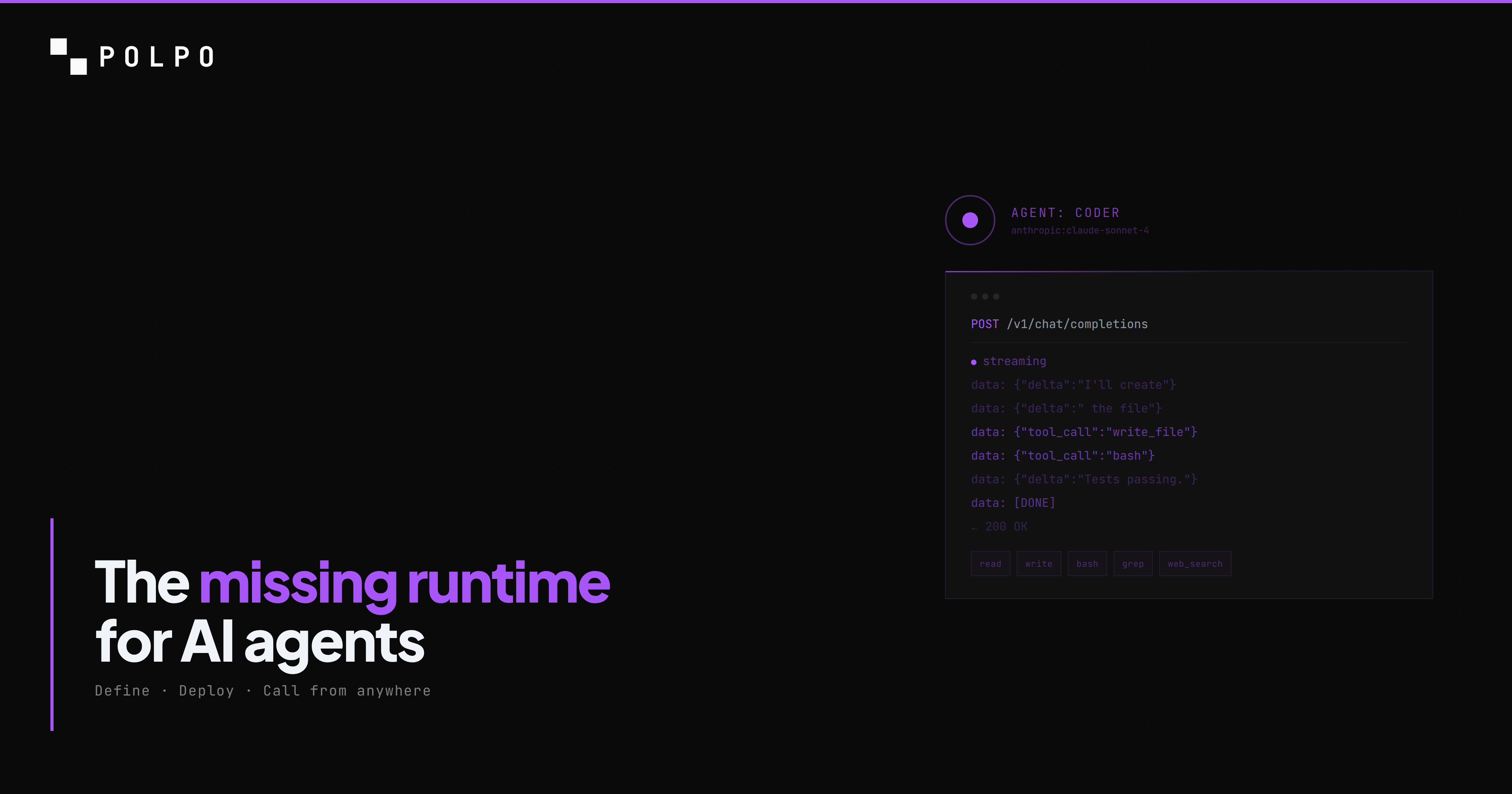
A chatbot takes text in and produces text out. No side effects. You ask a question, you get an answer. The conversation ends and nothing in the world has changed.
An agent takes a goal and executes actions to produce an outcome. Side effects are the entire point. The agent reads your codebase, finds the bug, edits the file, runs the tests, and commits the fix. The agent pulls your invoices from email, extracts the line items into a spreadsheet, and sends the summary to your accountant. The agent researches a topic, writes a report, and publishes it to your CMS.
The difference is not intelligence. The difference is capability.
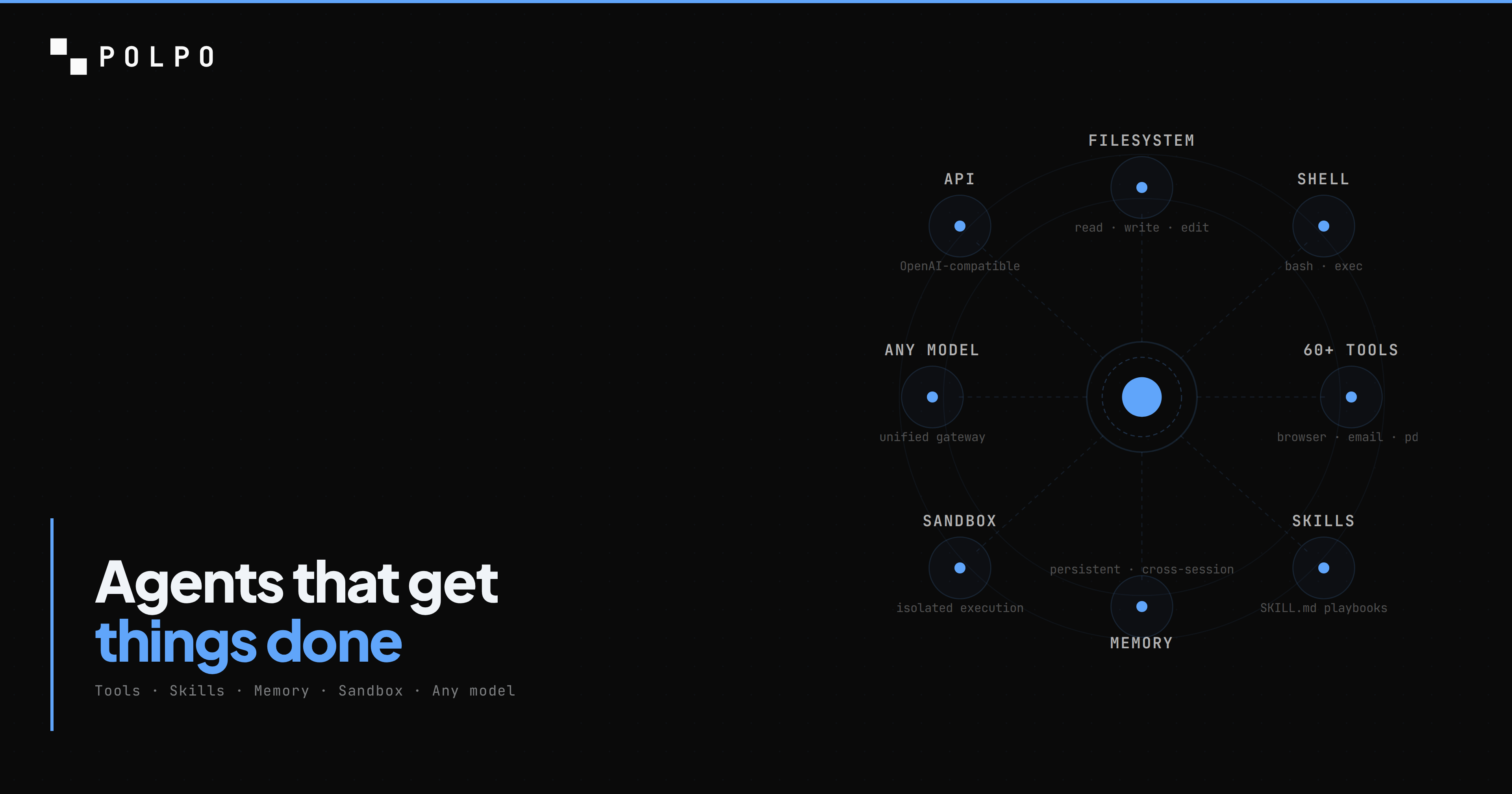
A chatbot has one capability: generate text. An agent needs dozens: execute shell commands, read and write files, browse the web, send emails, process PDFs, search codebases, call APIs, remember what happened last time. Without those capabilities, you have a language model that talks about doing things instead of doing them.
Most frameworks give you the LLM call. You write the prompt, you get the completion, you parse the output. Everything else -- the filesystem access, the shell execution, the browser automation, the document processing, the persistent memory, the sandboxed environment to run it all in -- is your problem to solve.
Polpo gives you everything else. You define what the agent does. Polpo handles how it runs.
Here is how to build one.
Define your agent
Every Polpo project has a .polpo/ directory. Your agents live in .polpo/agents.json. Here is a report builder -- an agent that can research a topic, write structured documents, and manage files:
[ { "name": "report-builder", "role": "Research analyst. Investigates topics, gathers data, and produces structured reports.", "model": "xai:grok-4-fast", "allowedTools": [ "read", "write", "edit", "bash", "glob", "grep", "search_*", "http_fetch", "pdf_*", "excel_*", "docx_*", "memory_*" ], "skills": ["research-methodology"], "systemPrompt": "Write clear, evidence-based reports. Cite sources. Use tables for comparisons. Save all output as Markdown files." }]Every field does one thing:
- name -- the identifier you use to call this agent via the API.
- role -- injected into the system prompt. Tells the model who it is and what it does.
- model -- the LLM provider and model in
provider:modelformat. Anthropic, OpenAI, xAI, Google, OpenRouter -- all supported. - allowedTools -- the exact set of capabilities this agent has. Nothing more. Wildcards like
search_*expand to all tools in that category. - skills -- reusable playbooks injected into the system prompt. More on this below.
- systemPrompt -- custom instructions appended after the role, identity, memory, and skills.
This is declarative. No code. No classes. No inheritance chains. Version-control it like any other config file. Change the model, redeploy, done.
Tools: what your agent can actually do
Tools are the bridge between "the agent wants to do something" and "something actually happens." An agent without tools is a chatbot. An agent with the right tools is an employee.
Polpo ships with 60+ built-in tools across six categories. No pip install, no npm install, no configuration. Add the tool name to allowedTools and the agent can use it.
Filesystem
read, write, edit, glob, grep, ls
Your agent can navigate a codebase. Read files to understand context. Write new files. Apply targeted edits to existing files without rewriting the whole thing. Search for patterns across thousands of files with regex. List directories. This is the foundation -- an agent that cannot read and write files cannot do meaningful work.
"allowedTools": ["read", "write", "edit", "glob", "grep", "ls"]Shell
bash
Your agent can run commands. Install packages. Execute scripts. Run test suites. Build projects. Anything you can do in a terminal, the agent can do. Every shell command runs inside an isolated sandbox -- not on your host, not on a shared server. The agent has root access inside its sandbox and zero access outside it.
"allowedTools": ["bash"]Web
http_fetch, http_download, search_web, browser_*
Your agent can research topics and call APIs. http_fetch makes HTTP requests and returns the response body -- useful for REST APIs, webhooks, and scraping. search_web performs web searches via Exa with ranked results and snippets. The browser_* tools give the agent a headless Playwright browser for full page interaction: navigate, click, type, screenshot, evaluate JavaScript.
"allowedTools": ["http_fetch", "search_web", "browser_*"]Documents
pdf_read, pdf_extract, excel_read, excel_write, docx_read, docx_write
Your agent can process invoices, reports, and spreadsheets. Read a PDF and extract structured data. Read from and write to Excel files. Generate Word documents. These are the tools that turn an agent from a developer assistant into a back-office workhorse.
"allowedTools": ["pdf_*", "excel_*", "docx_*"]Communication
email_send, email_read, email_list, phone_call
Your agent can send emails and make calls. Use emailAllowedDomains on the agent to restrict who it can email. phone_call uses VAPI for voice calls. These tools turn the agent from a processor into a communicator.
"allowedTools": ["email_*", "phone_call"]Memory
memory_get, memory_save, memory_append, memory_update
Your agent remembers what happened last time. Memory persists across sessions -- not just within a single conversation but across days, weeks, and months. There are two scopes: shared memory visible to all agents in a project, and per-agent memory that only that agent can access. The agent writes notes to memory during execution ("this customer prefers email over phone", "the payments service uses Stripe webhooks on /api/webhooks/stripe") and retrieves them on the next run.
"allowedTools": ["memory_*"]An agent with memory is qualitatively different from one without it. Without memory, every interaction starts from zero. With memory, the agent accumulates expertise. It learns your codebase, your conventions, your preferences. Run 100 asks over a month and the hundredth one has the context of the previous 99.
Skills: reusable playbooks
Tools give the agent capabilities. Skills tell it how to use them.
A skill is a SKILL.md file -- Markdown with YAML frontmatter that gets injected into the agent's system prompt. It contains domain-specific knowledge, workflows, checklists, and procedures that turn a generic agent into a domain expert.
Here is a research methodology skill:
---name: research-methodologydescription: Systematic research process for producing evidence-based reportstools: [search_web, http_fetch, read, write]tags: [research, reports]---
## Research Process
1. Define the research question explicitly before starting2. Identify 3-5 authoritative sources using search_web3. For each source:   - Fetch the full content with http_fetch   - Extract key claims with supporting evidence   - Note the publication date and author credentials4. Cross-reference claims across sources5. Identify contradictions and gaps6. Structure findings with:   - Executive summary (3-5 sentences)   - Methodology section   - Findings organized by theme   - Comparison table if applicable   - Sources cited inline
## Quality Checks
- Every claim must have a source- Every comparison must have a table- Flag any finding supported by only one source- If data is older than 12 months, note it explicitly
The skill does not change the model. It does not fine-tune anything. It structures behavior through the system prompt. The same way a runbook turns a junior ops engineer into someone who can handle an incident, a skill turns a general-purpose model into a specialist.
Skills follow the open skills.sh format -- the same SKILL.md standard used by Claude Code, Cursor, Windsurf, and other coding agents. Skills you write for Polpo work on any compatible agent, and skills from those ecosystems work on Polpo.
Install skills from any GitHub repository:
polpo skills add https://github.com/your-org/your-skillsCreate your own:
polpo skills create my-skillAssign them to specific agents in agents.json:
{ "name": "report-builder", "skills": ["research-methodology", "data-analysis", "report-formatting"]}Skills are composable. Stack three skills on one agent and it gets the combined knowledge. A report builder with research methodology, data analysis, and a report formatting skill produces better reports than one with no skills and a longer system prompt. Structure beats verbosity.
Deploy and call
One command to deploy:
polpo deploy Polpo Deploy ──────────────────
Project: market-reports Directory: .polpo/
Resources found: Agents .......... 1 Skills .......... 1 Memory files .... 0
Detected LLM keys: XAI_API_KEY → xai-...xxxx
Deploy these resources? (y/N) y
Deploying... ✓ Agents 1/1 ✓ Skills 1/1
Deploy complete. 2 resources synced.Your agent is now a production API. Call it from anywhere:
curl https://api.polpo.sh/v1/chat/completions \ -H "Authorization: Bearer sk_live_..." \ -H "Content-Type: application/json" \ -d '{ "agent": "report-builder", "messages": [{ "role": "user", "content": "Research the current state of edge computing adoption in 2026. Compare the top 3 providers. Save the report as edge-computing-report.md" }], "stream": true }'The API is OpenAI-compatible. Any SDK or HTTP client that works with OpenAI works here -- change the base URL and you are done.
From TypeScript:
import { PolpoClient } from "@polpo-ai/sdk";
const client = new PolpoClient({  baseUrl: "https://api.polpo.sh",  apiKey: "sk_live_...",});
const stream = client.chatCompletionsStream({  agent: "report-builder",  messages: [{    role: "user",    content: "Research the current state of edge computing adoption in 2026. Compare the top 3 providers. Save the report as edge-computing-report.md",  }],});
for await (const chunk of stream) {  process.stdout.write(chunk.choices[0]?.delta?.content ?? "");}
From Python:
from openai import OpenAI
client = OpenAI(    base_url="https://api.polpo.sh/v1",    api_key="sk_live_...")
stream = client.chat.completions.create(    model="report-builder",    messages=[{        "role": "user",        "content": "Research the current state of edge computing adoption in 2026. Compare the top 3 providers. Save the report as edge-computing-report.md"    }],    stream=True)
for chunk in stream:    content = chunk.choices[0].delta.content    if content:        print(content, end="")
Your agent is now callable from any app, any language, any framework. A webhook fires and triggers a report. A cron job generates a daily summary. A Slack bot invokes your agent on every message. The agent is an API -- how you call it is up to you.
Sandboxed execution
When that API call hits Polpo, the agent does not run on a shared server. It gets its own ephemeral sandbox -- an isolated Linux environment with its own filesystem, shell, and network.
The agent has full access inside its sandbox. It can npm install, pip install, apt-get, write to any directory, run any command. It has root. But it cannot reach other sandboxes, other agents, or your host. When the task finishes, the sandbox is destroyed.
This is what makes the bash tool safe to grant. Without sandboxing, giving an LLM shell access is reckless. With sandboxing, it is a feature. The agent can do real work -- install dependencies, run scripts, execute build pipelines -- without any risk to your infrastructure.
Sandboxes start in under 100ms from a warm pool. We pre-provision them per project so there is always one ready. The pool is managed automatically for cross-replica consistency. Dead sandboxes are detected and replaced. Idle sandboxes are trimmed to prevent cost bloat.
We wrote a deep dive on the sandbox architecture, the pool model, and the failure modes we handle -- read it here.
What you would build yourself vs. what you get
Without Polpo, here is what you need to give an agent real-world capabilities:
- An LLM API client with streaming
- Docker or Firecracker for sandboxed execution
- Volume mounts for persistent filesystems
- A pool manager for warm sandbox reuse
- A tool framework that maps function calls to actual operations
- A memory store (database, config, persistence layer)
- Auth and API key management
- Rate limiting
- A web server to expose it all as an API
- Monitoring, logging, health checks
With Polpo:
[ { "name": "report-builder", "role": "Research analyst. Investigates topics, gathers data, and produces structured reports.", "model": "xai:grok-4-fast", "allowedTools": ["read", "write", "edit", "bash", "glob", "grep", "search_*", "http_fetch", "pdf_*", "excel_*", "docx_*", "memory_*"], "skills": ["research-methodology"] }]polpo deployThe infrastructure is handled. The sandboxing is handled. The memory is handled. The tools are handled. The API is handled. You define what the agent does, not how it runs.
The difference between a chatbot and an agent is not the model. It is the runtime. Give the model a text box and it gives you text. Give it a filesystem, a shell, tools, skills, and memory -- and it gets things done.
npm install -g polpo-aipolpo initpolpo deploy